 Joel Stevick
Python tutorial
Taught by Claude
A repository of fifty Python exercises, from basics to a RAG pipeline and its eval harness. Clone it, open the folder in VS Code, and in Claude Code type /teach-me: Claude teaches you the next exercise from a worked example, you write it from memory, and /check scores it. /progress shows how far you are.
After the last exercise comes an MCP server for your pipeline, a worked example that lets Claude Code search your documents and act on live data.
Ready to be tested? The Python for RAG test checks what this tutorial teaches: a timed coding test Claude writes new each time, scored by hidden tests, like the screens on HackerRank, CodeSignal and Codility. Other levels are on the Python readiness check.
Learn it from a worked example: /teach-me
Type /teach-me and Claude picks your next exercise, writes a worked solution and opens it as a lesson in a VS Code tab: the code, with a number on each line that teaches something and a note under it for each number. Read it, close it, and write the exercise yourself from memory.
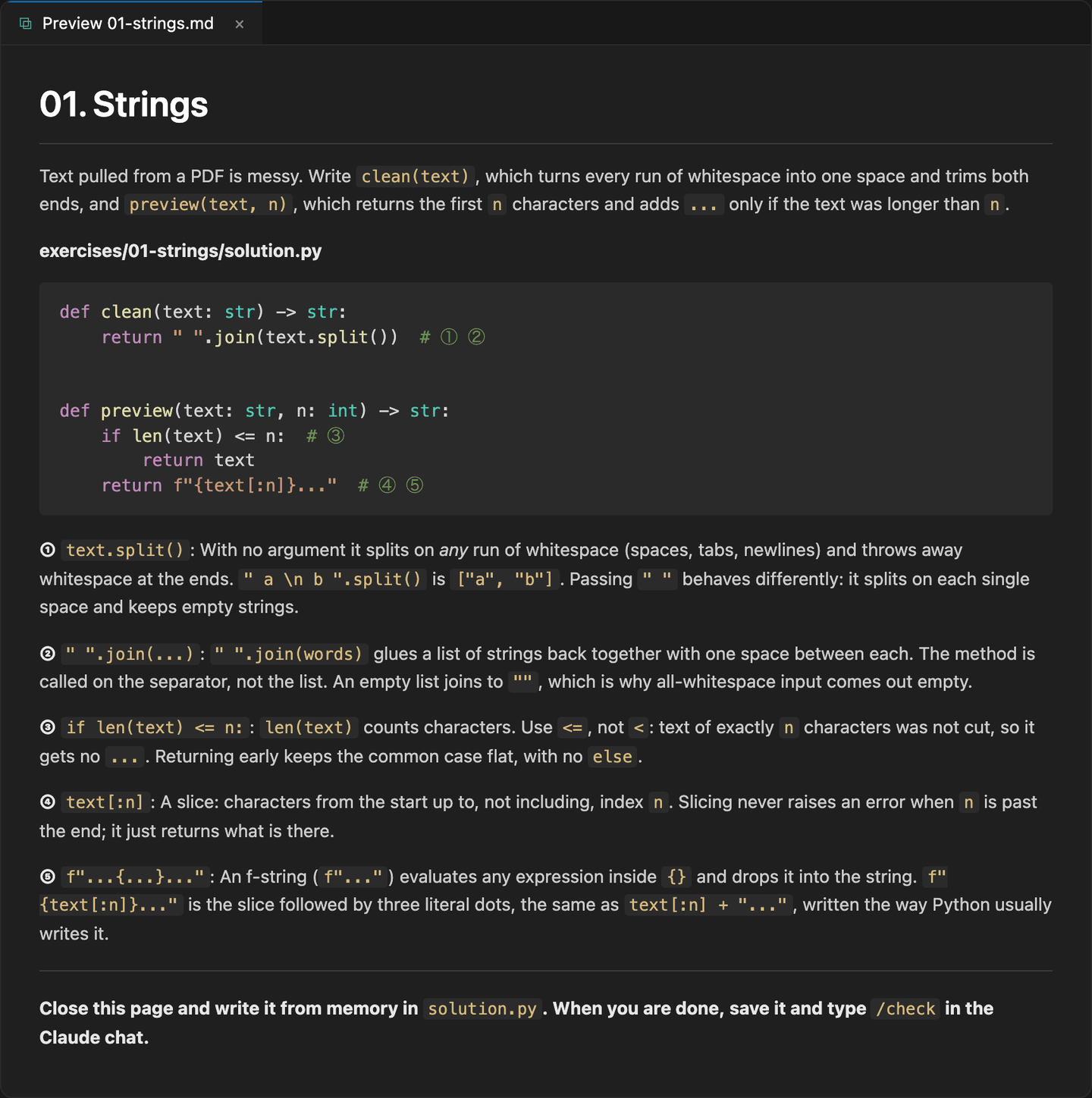
Type /check when you are done. Claude runs the exercise's tests and gives you a score, then each failure: what went in, what was expected and what came back, the line in your file that caused it, and the note in the lesson that covers it. Then it asks whether to start again from a blank file, and you write it again until every test passes. Writing it from memory, not copying, is what makes it stick.
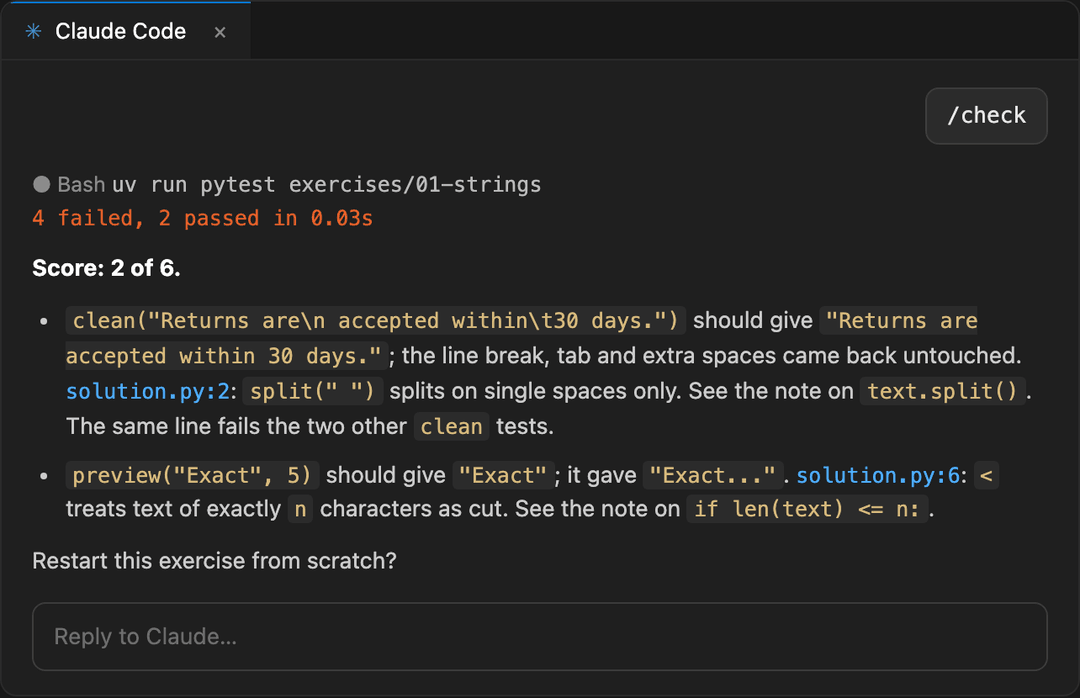
/check on an attempt with two common mistakes: split(" ") for split(), and < for <=.Each exercise you pass goes on your review list: every few exercises, /teach-me brings one back for you to solve again from memory, with no lesson.
See how far you are: /progress
Type /progress and Claude opens your map in a VS Code tab: one square per exercise, a row per module, from Python basics to the final project. Passed exercises are lit, the one you are on is outlined, and the counter says how many of the fifty you have done. It updates every time /check passes one, so you can leave the tab open.
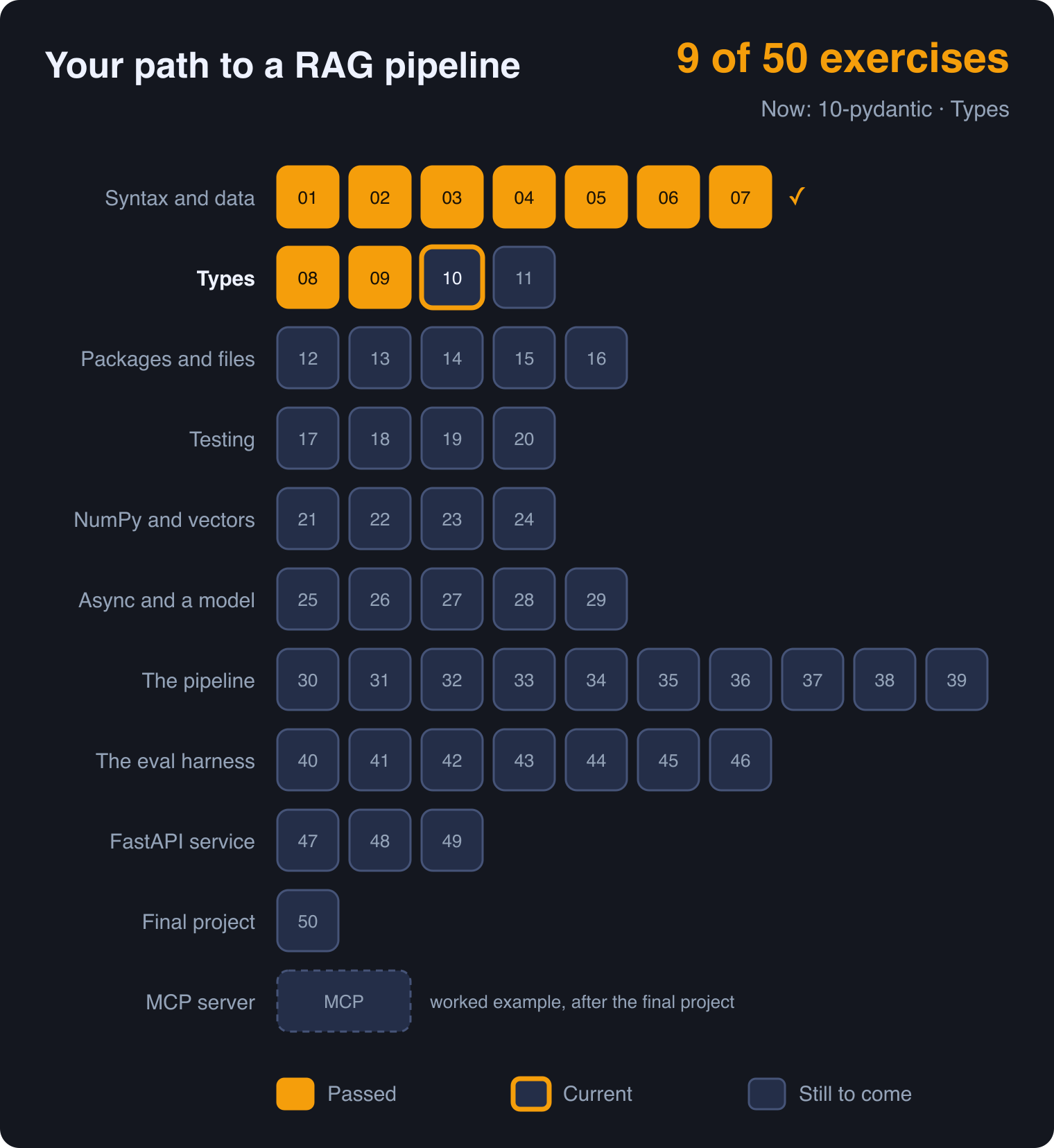
After the last exercise: an MCP server for your pipeline
MCP, the Model Context Protocol, is the standard way to give an AI assistant like Claude Code new tools and data. You write a small server; Claude Code connects to it and can then call its tools, read its documents and use its prompts.
The repository ends with a complete one, written in Python with FastMCP: a document search over the final project's documents (a ferry company's fares and rules) and a small live booking system, so Claude Code can answer "Can I take my dog on the ferry?" from the documents and "Move my booking to the last sailing today" against live data. It runs offline, with no key. It is a worked example to read and run, not a graded exercise; /teach-me walks you through it after the final project, and the map's last square lights when you have.
What it shows you:
- Tools, resources and prompts, and who chooses each: the model, the app or the user.
- A search tool whose description is written for the model, beside tools that read and change live data.
- Running over stdio on your own machine and over HTTP, with sign-in and per-user access checked in code.
- Asking the user to confirm before a change, and a long job that returns at once.
- Testing a server through a real client.
Add it to Claude Code from the repository's folder with one line, then ask it a question:
claude mcp add ferry -- uv run --directory "$PWD" python examples/mcp-server/server.py